David Pierce’s piece in The Verge about the “personal software revolution” captures something that resonates strongly with me: AI is making it easier to create software for one’s exact needs.
I think today every developer who is jumping on the AI train experiences it themselves: they can suddenly scratch many of their own software itches with a quick prompt.
Of course, developers are more likely to think of software-driven solutions to real-world problems than non-developers. But as creating apps gets easier, that instinct may spread beyond developers too, as the Verge article describes.
That is exciting. But I think the more interesting question is not only “who writes the code?” It is: where does this personal software live?
Already before this AI revolution, developers built software using their favorite stack. That’s what they are fastest in, that’s a setup where they run their other self-developed software already. And this leads to what I call the self-hosting chaos:
Yes, there is Docker as a solution to run any stack on any machine but it’s really a developer tool. And while there are solutions like Instapods which I applaud for its effort to try and make it easy, as a user, every tool still has its own setup flow.
And then there are questions like: Where is the data stored? Can I export it? Do I need another host for a second app?
It might be a surprising angle but this is where I think WordPress has an interesting role to play, and I’ve been working on making this even more feasible recently.
The fact that it’s a widely used software for blogging has the side-effect that it’s easy to find hosting for it anywhere you like. So, what if you don’t use it for blogging, but as a personal app platform?
This needs a reframe of people’s thinking, and I wrote about it just recently. But once you let it sink in, WordPress is a pretty decent platform for personal apps, providing lots of things out of the box:
- Easy plugin installation,
- User accounts and permissions,
- Media library,
- Posts, pages, custom post types, and taxonomies,
- REST APIs,
- Import/export,
- Widely available hosting.
Ok, if you send someone to wp-admin and ask them to install an app, that would be overwhelming. But with the right tooling to guide the user, we can make this real easy.
While the final destination would be a hosted WordPress somewhere, there is my.wordpress.net which is a free, hosted-in-the-browser WordPress where you can give it a go without registration.
You’ll arrive in an app launcher-like screen:
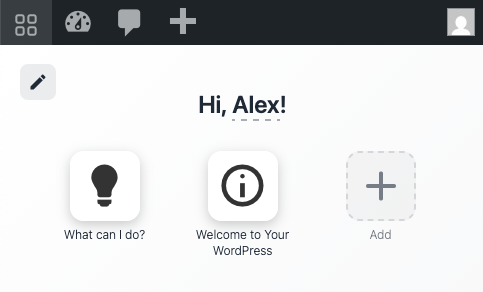
And the Add button takes you to an “App Store” with apps pre-selected for the yet-uncommon use case of “personal software.”
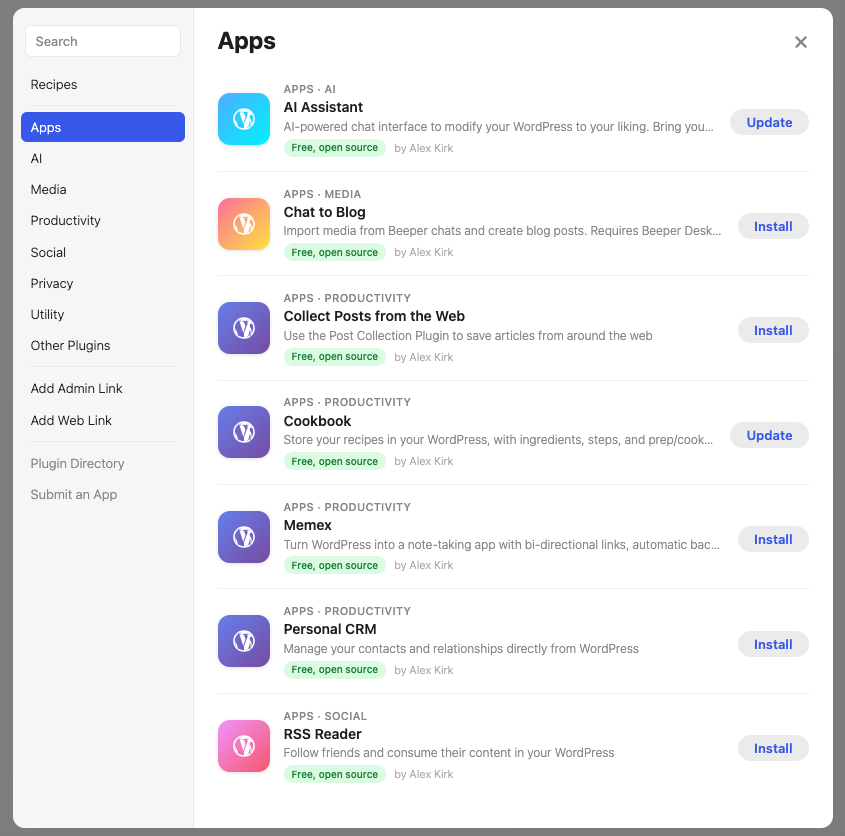
Granted, the selection of apps is still limited but this is mostly an effort to kickstart the ecosystem for this use case, while at the same time having some really useful apps that go beyond a simple prototype.
Recipes aim to give you more concrete ideas of what you can do:
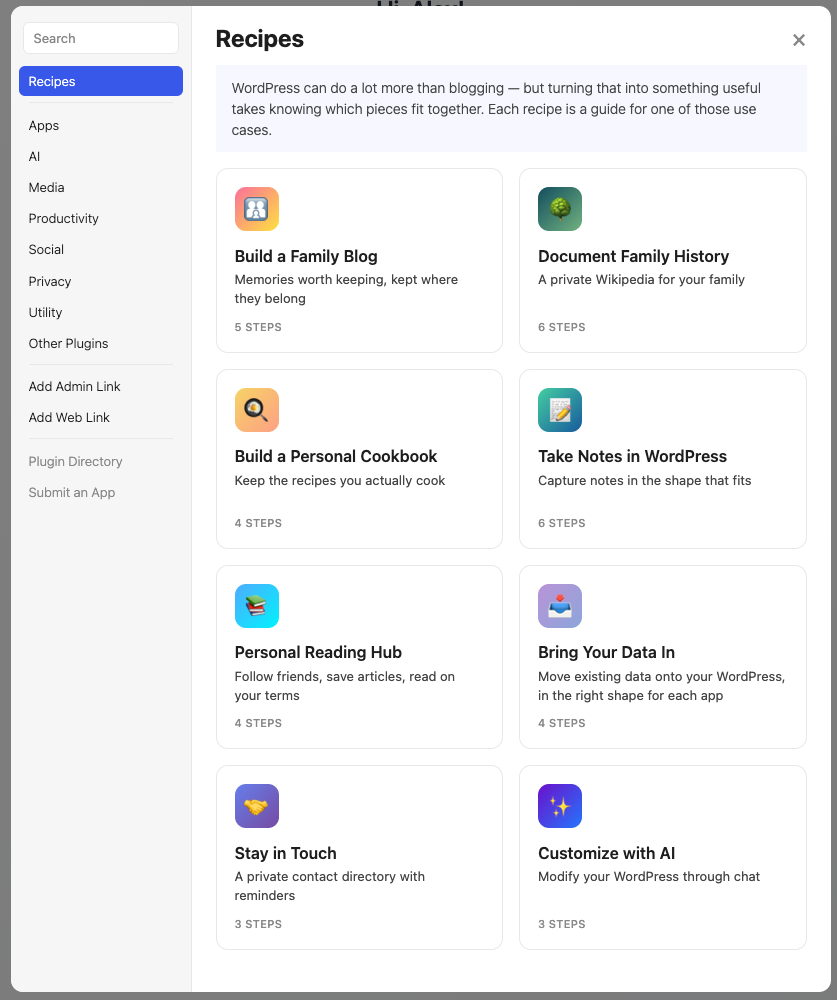
For example, personally, I’ve been enjoying storing my recipes in my WordPress. Some are recipes passed down through family generations. Others are ones I had cherry-picked from the web, then later had to remember which blog I had found them on when I wanted to cook them again.
And while “AI Assistant” is quickly becoming an overused concept, I really like how it can not only work with those apps (“I’m trying to eat vegan today, give me a variation of the recipe (I’m currently looking at)”) but also how it can work across app boundaries because they all live in my WordPress (“My friend recently blogged about recipe X, please add it to my cookbook and put it on my meal plan for tomorrow”).
Granted, you need to provide your own API key or run Ollama or LM Studio locally (I hope this will get better some day!), but then it can even build the apps you wish for right there as a new plugin that you can then download and share.
WordPress as the Personal App Platform
But back to the point about the platform for apps:
I think WordPress is so great because installing an app is as easy as installing a regular WordPress plugin (if not easier, with the My Apps plugin screenshotted above).
And for developers, there is this place where all your apps can run, with nice features out of the box, and honestly, AI doesn’t care much in which programming language they implement your dream software. Even PHP.
I’ll just admit that my.wordpress.net is my work, so I am biased. But I believe there is real merit in building the future of personal software on the benefits of the legacy of open source WordPress. It was built for one weird use case twenty years ago. It might quietly turn out to be built for the next one too.
Fediverse reactions



Post URL
Your Profile
Why do I need to enter my profile?
This site is part of the ⁂ open social web, a network of interconnected social platforms (like Mastodon, Pixelfed, Friendica, and others). Unlike centralized social media, your account lives on a platform of your choice, and you can interact with people across different platforms.
By entering your profile, we can send you to your account where you can complete this action.

Leave a Reply